Turn 2D Pixel Art
Into Flawless 3D Voxels.
From a single inventory item to a full Blockbench character. No stretched UVs. No texture bleeding. No internal walls. Clean, welded geometry in one click.
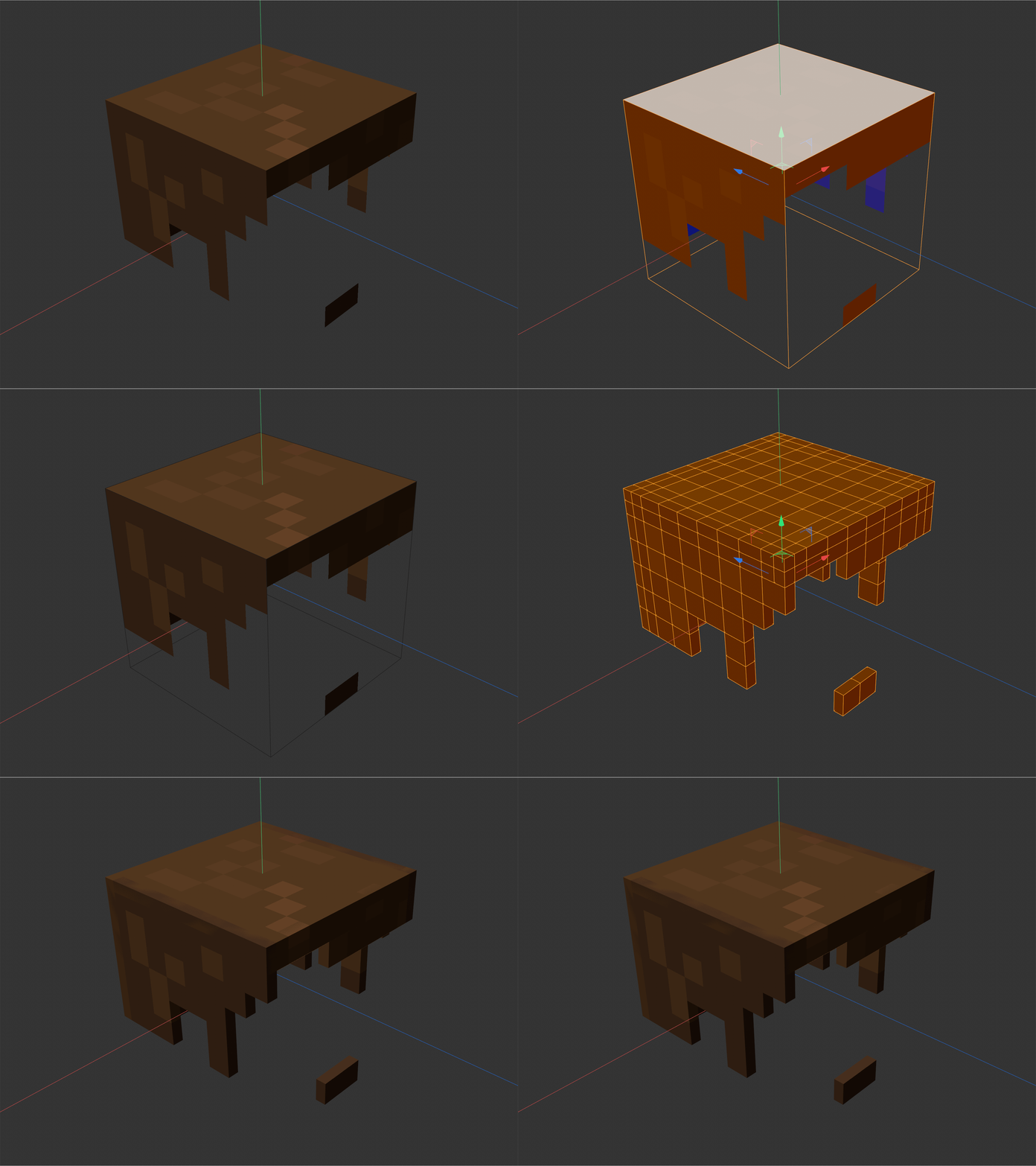
Native C4D tools weren't made for voxels.
Extruding pixel art with Cinema 4D's default tools gives you stretched textures, bleeding colors on side walls, and broken meshes. Hours of manual cleanup for something the software should just do.
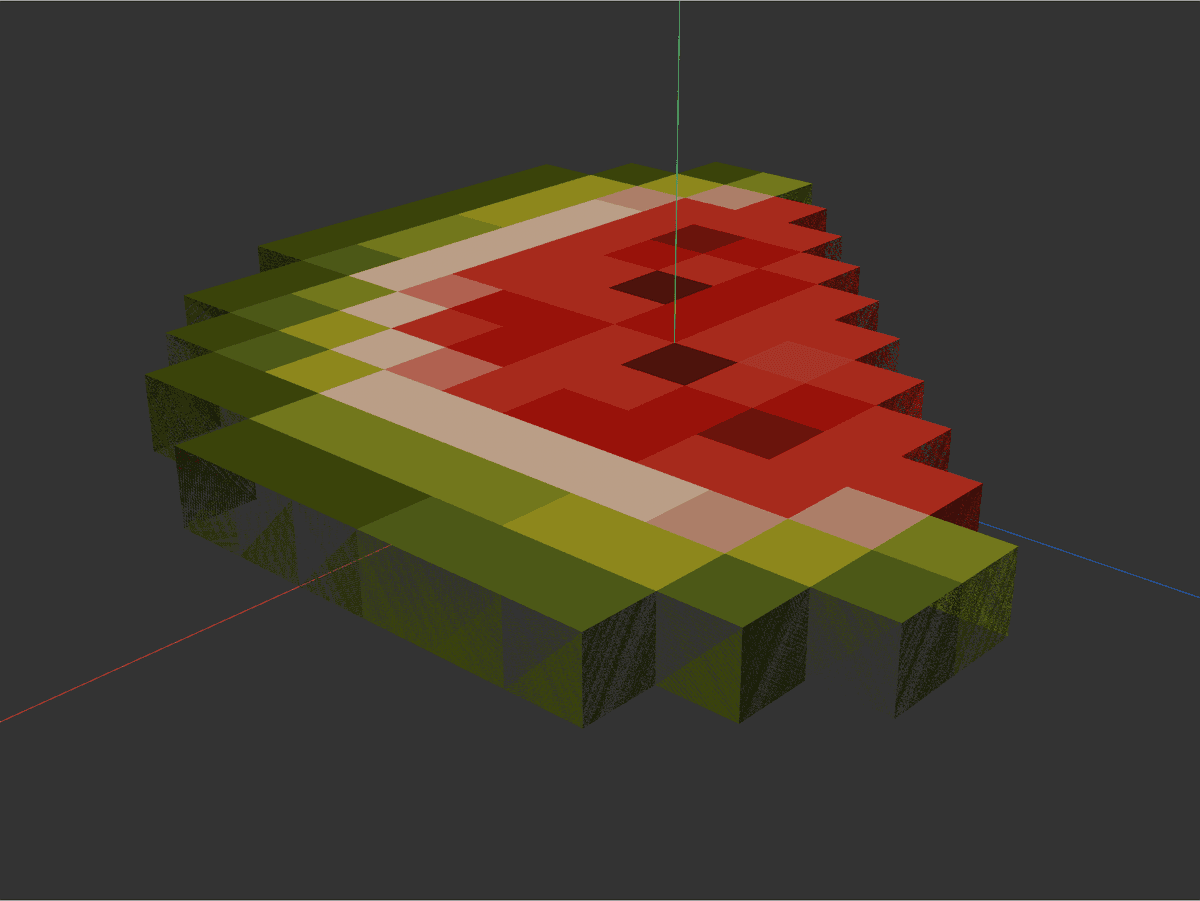
Texture bleeding on the side walls. Colors blurred across pixel edges. Manual UV surgery required.
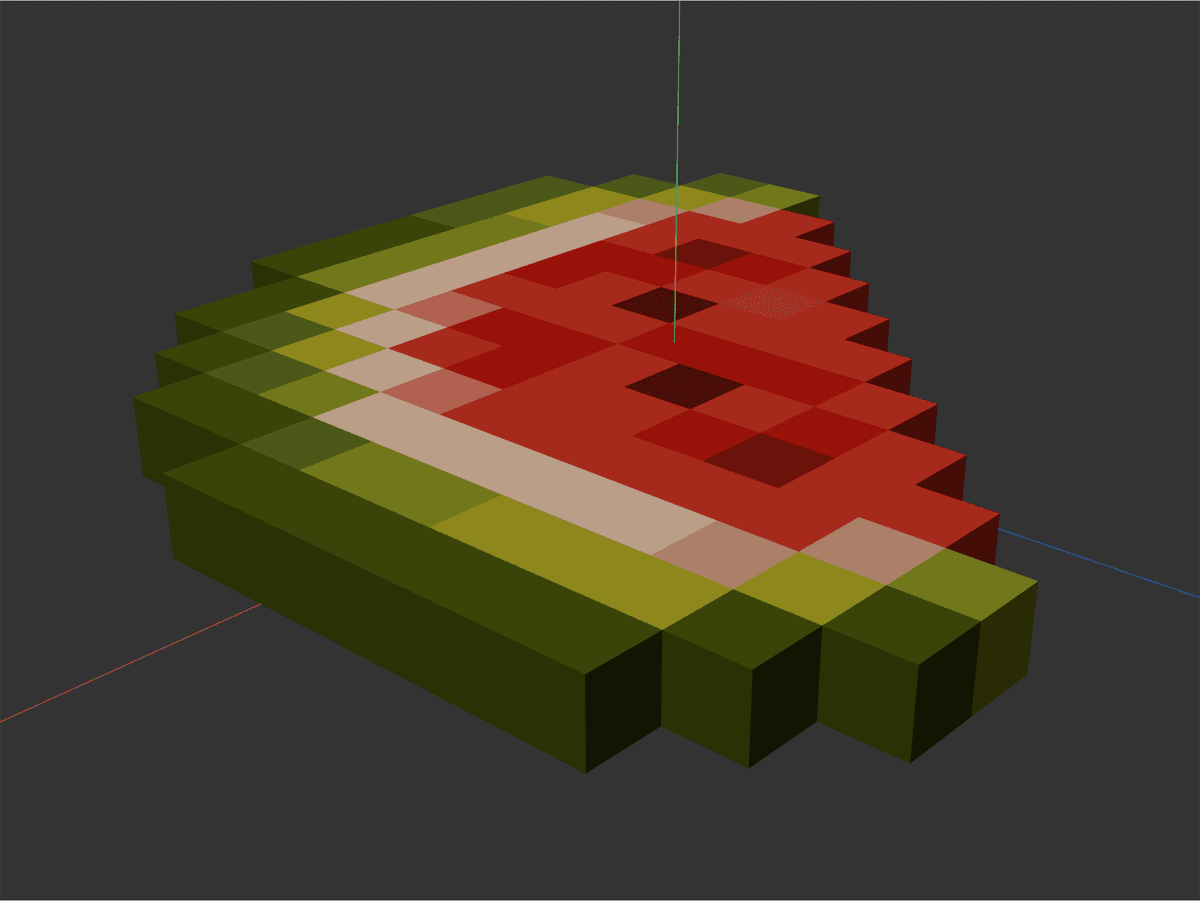
Every pixel pinned to its exact UV center. Clean side walls. No bleed. Ready to render.
Built for pixel artists. Tuned for
3D.
Silhouette Engine
The mesh is born finished: side walls are generated only along the visible outline — internal walls are never created. Every face samples the exact center of its pixel. Zero bleeding, zero cleanup.
Welded by Construction
Points are born unified — there is no weld step. One click on Apply delivers the final, production-ready mesh. The Optimize button is only there to merge with other geometry in your scene.
Curve-Safe Engine
Slices along the real curvature of the object: planes, cylinders, rings, and full characters. Every cell is validated against its source face — no ghost voxels on fur and alpha planes.
HD Atlas Ready
A spatial UV index processes textures from 64×64 up to 1024×1024 in seconds. Real-time progress bar, and ESC cancels at any moment without dirtying the scene.
Automatic Grid
No math inputs: the engine reads the texture resolution and the UV footprint of each polygon, then computes the slicing on its own.
Full Undo + Safe Pipeline
Every operation is a single Ctrl+Z. Animated objects are detected automatically and the pivot never breaks the pose.
One plugin. Two workflows.
Pick the one that matches your scene — or use both in the same project.
Texture Extrude
Slices and extrudes existing geometry (flat or curved) with a pixel texture applied.
- → Ideal for skins, sprites, and full Blockbench characters
- → Welded mesh with no internal walls — straight from Apply
- → Partial slicing: select only the polygons you want to voxelize
- → ESC cancels long operations
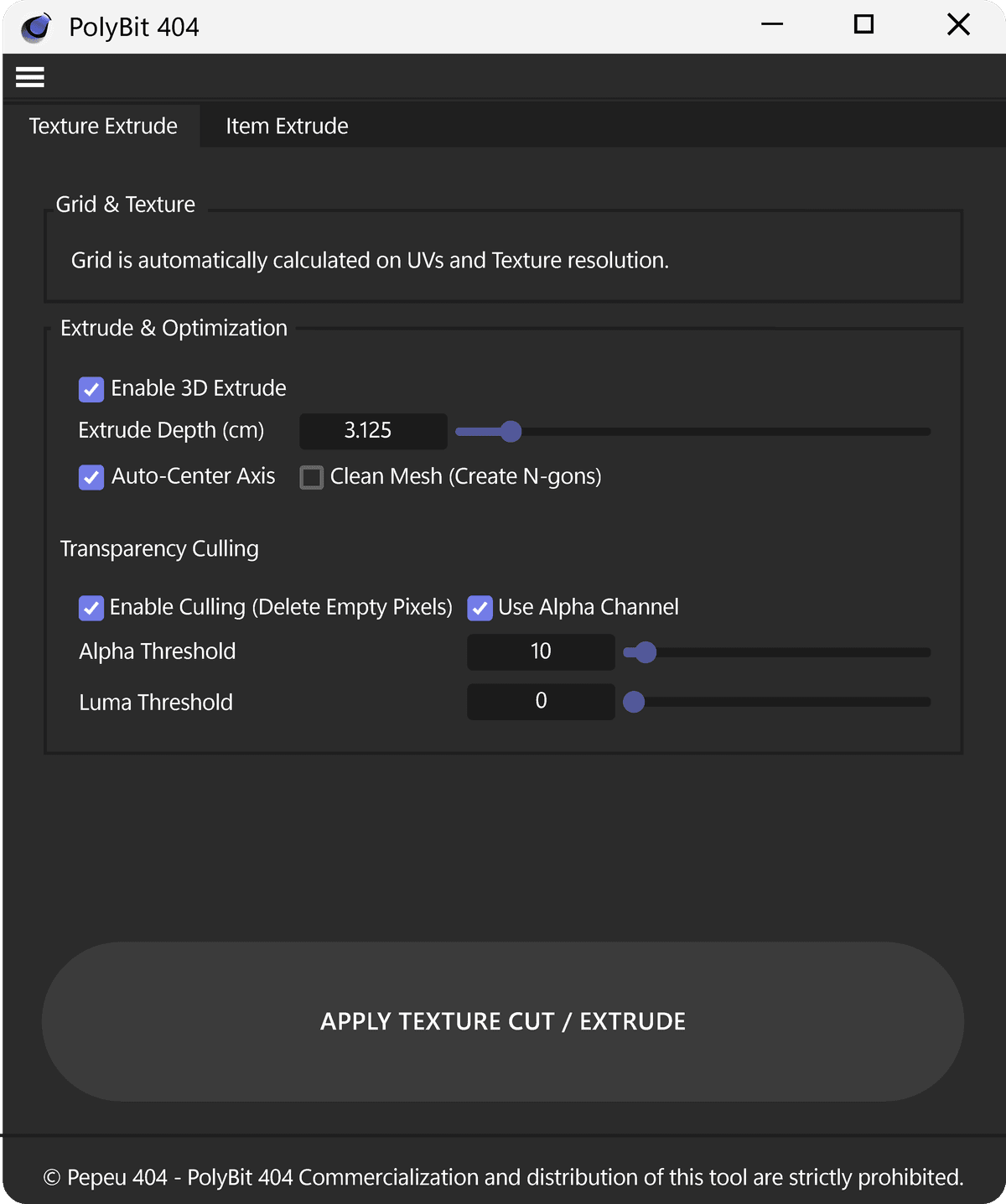
Item Extrude
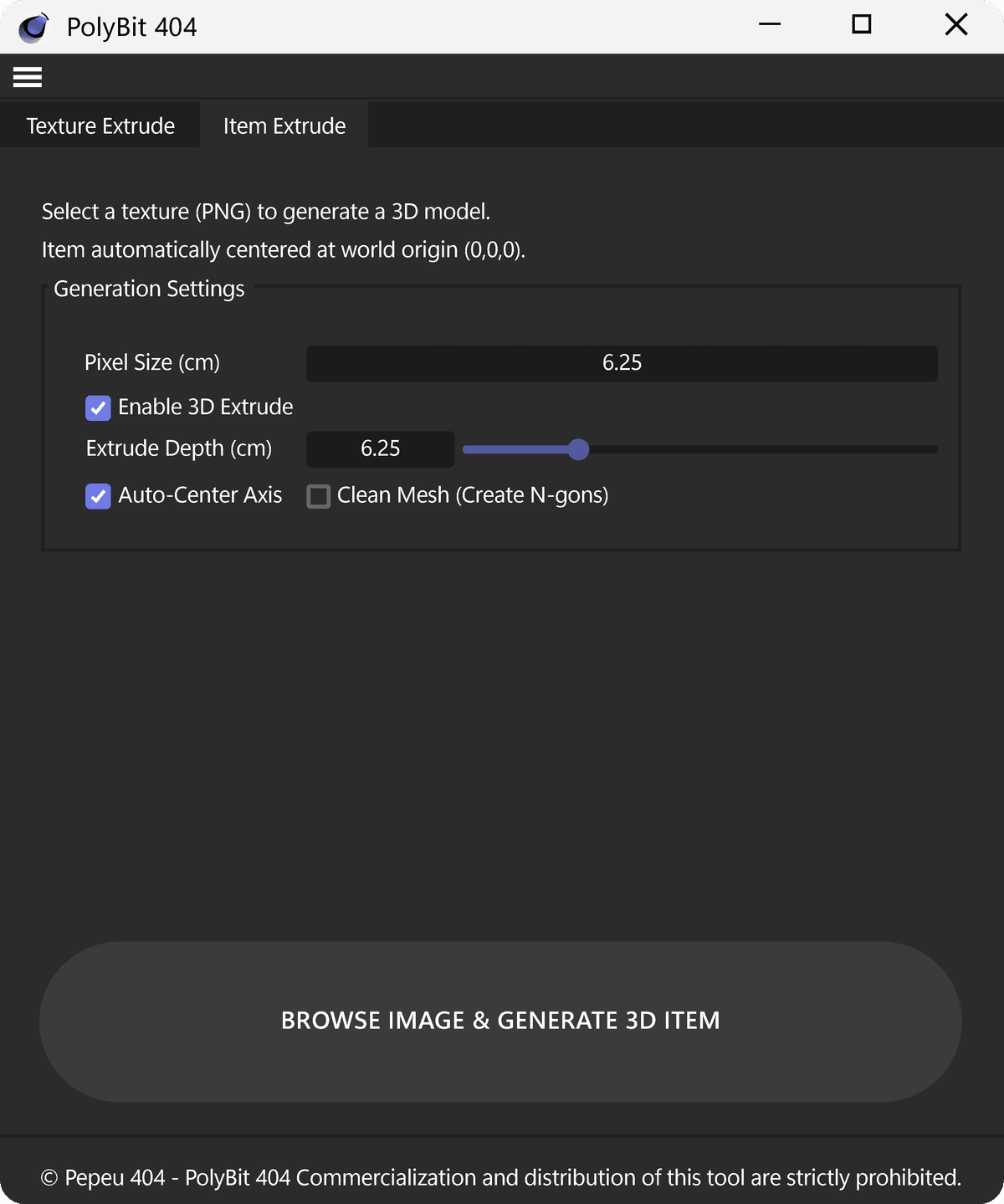
Generates a 3D model straight from a PNG — no pre-existing object required.
- → Material created automatically (Color + Alpha, Sampling None)
- → Transparency culling by Alpha or Luma
- → Item centered at world origin (0,0,0)
Ship-ready meshes.
Right out of the box.
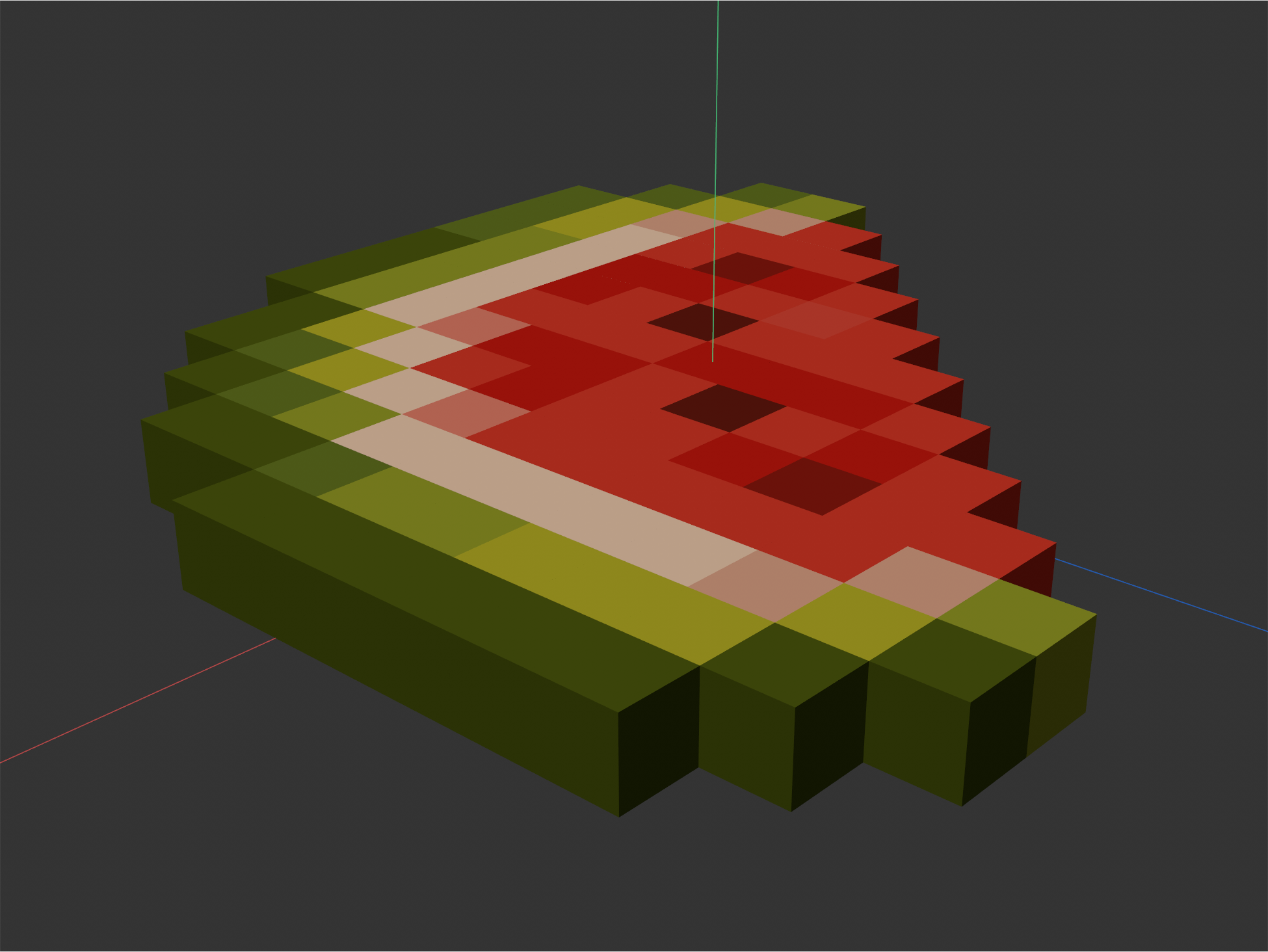
Pixel-art sprite → voxel slice, with preserved colors on every face.
Raw PNG → centered voxel model via Item Extrude, ready to light.
From PNG to final mesh in
under 30 seconds.
- 01
Apply the texture.
A material with a pixel bitmap on your object (or pick a PNG directly in the Item tab).
- 02
Set depth and culling.
A magnetic slider snaps to exact multiples of the voxel metric.
- 03
Hit Apply. That's it.
One click. The mesh comes out sliced, culled, welded, and with perfect UVs — ready to render or export.
Lifetime access.
No subscriptions.
One-time payment · Lifetime updates · Personal & commercial use
- ✓ Complete plugin (Texture Extrude + Item Extrude)
- ✓ Mesh welded by construction (zero cleanup)
- ✓ HD atlas support up to 1024×1024
- ✓ Safe pipeline for posed/animated models
- ✓ Personal license with commercial use of outputs
- ✓ Lifetime updates
- ✓ Direct support from the developer
📋 Refund & Warranty Policy▾
Digital product with instant delivery. All sales are final once the file has been accessed or downloaded. Technical refunds available for corrupted files or declared compatibility failures, within 14 days of purchase. Full policy at pepeu404.com/refund-policy.
Instant download · Secure checkout
Frequently asked.
Does it work with full Blockbench models?▾
Yes — that's the plugin's advanced use case. Select every cube of the character (body, fur, alpha planes) and Texture Extrude slices it all in one batch, following the orientation of each face. Models that are already posed or animated per cube are safe: keyframes are never touched.
Can it handle HD textures?▾
Yes — from 64×64 up to 1024×1024. On large atlases the status bar shows live progress, and ESC cancels the operation at any time, keeping your scene intact.
Can I apply it after rigging the character?▾
Apply PolyBit before painting weights: rebuilding the mesh invalidates Weight Tags. Pose and per-object animation (Blockbench style) work normally. The safe order is: model → PolyBit → rig.
Does the license allow commercial use?▾
Yes. Everything the plugin generates (meshes, renders, assets) is 100% yours, for personal and commercial use. Only reselling or redistributing the plugin itself is prohibited.
Which Cinema 4D versions are supported?▾
PolyBit 404 runs on Cinema 4D R23 and newer (including S24, S26, 2023, 2024, 2025). Both Windows and macOS.
How is this different from C4D's native Extrude?▾
Native Extrude stretches UVs across the new side walls, causing color bleed between pixels. PolyBit's engine slices per-pixel and pins each voxel to its exact UV center — no bleeding, ever.
Does it work with Minecraft skins and textures?▾
Yes — that's one of its main use cases. Drop a 64×64 skin or a 16×16 item texture and it builds the voxel mesh with clean alpha culling automatically.
Do I get future updates for free?▾
Yes — one payment includes lifetime updates for PolyBit 404, including compatibility with new Cinema 4D releases.
What if it doesn't work on my machine?▾
Reach out directly to the developer (Pedro Ribeiro / Pepeu 404) within 7 days and you'll get a full refund — no questions asked.
Do I need to know Python or scripting?▾
No. PolyBit 404 is a GUI plugin. Install it, open the panel from the Extensions menu, click the buttons. That's it.
How do I install it?▾
Unzip the folder, drop it inside your Cinema 4D plugins directory, restart C4D. The plugin shows up under Extensions. Full tutorial included in the download.
Stop cleaning meshes.
Start shipping characters.
📋 Refund & Warranty Policy▾
Digital product with instant delivery. All sales are final once the file has been accessed or downloaded. Technical refunds available for corrupted files or declared compatibility failures, within 14 days of purchase. Full policy at pepeu404.com/refund-policy.